Understand the balance with AI

Read the balance that takes years to feel.

Center of gravity, center of pressure, weight per axle — the read a race engineer spends a career on, computed from the telemetry your sim already records. An aid, not a cheat.

Balance. COG. COP. Read like a race team.

Center of gravity, center of pressure, weight per axle — computed from the telemetry your sim already records. The read of a pro pit wall, made accessible. An aid, not a cheat.

The balance only experience reveals — computed.

Center of gravity, center of pressure, balance corner by corner — the read that separates alien pace from the rest, computed from your telemetry. An aid, not a cheat.

LMU .duckdb MoTeC .ld iRacing .ibt SimHub .bin.gz + real-world team files
Compatible with
iRacing Le Mans Ultimate rFactor 2 Automobilista 2 Assetto Corsa Competizione RaceRoom
🇺🇸 iRacing & Assetto Corsa Competizione for IMSA / GT3  ·  🇪🇺 Le Mans Ultimate & rFactor2 for ELMS / WEC
🏁 Assetto Corsa Rally · coming soon — the full Assetto Corsa family (Corsa, Competizione & EVO), with rally setups built from your shakedown telemetry, before the stage.
Independent tool, compatible with these sims — names & trademarks belong to their respective owners (not affiliated).
★ The method
From your driving to a setup that races.

We start from you. The engineers read your telemetry and build the setup around how you actually drive — corner by corner. From sim entertainment to a competitive, esports-ready car.

Your driving
Your laps, your style — the raw input.
Your telemetry
Read per wheel, corner by corner — any sim, any MoTeC file.
The setup, in order
Tyres → brakes → aero/COP → mechanical — each lever, the right way, with its trade-off.
Race-ready
A competitive, consistent car for online racing and esports.

Built together — it's your setup, not a guru's copy-paste.

The setup adapts to your traits and gives you the same weapons as the best. From there, the driver makes the difference — results depend on you. An aid, not a cheat.

Gentlemen, start your engines.
Start free — build your setup See how it works →
Go deeper — Springs · Dampers · Packers · Ride height & rake · Anti-roll bars · Geometry · Mechanical balance
★ Top feature
Read the balance.

How deeply the engineers read your car — the hardest setting to nail in a setup, made visible.

Oreca 07 LMP2 — top view FRONT REAR
Top view — front/rear transfer

Indianapolis: the front "goes through" but won't bite.

Flat-out into Indianapolis, downhill, the front dives and the rear unloads — the bubble slides to the rear. The front turns in but won't bite: vague, on the edge of a snap. Not viable over 24 hours.

  • What it reveals: the balance is at fault — too much load on the rear, front platform too soft.
  • Typical conclusion: support the front (rake, ride height, ARB) to bring the bubble back to centre — sharper turn-in, stable at top speed.
  • Live + logged: the pit wall tracks this bubble and the per-corner extremes by distance, so repeated anomalies surface and get corrected.
Oreca 07 LMP2 — front view L R
Front view — left/right roll

In the corner, the car rolls onto its outer tyres.

Through a fast right-hander the bubble swings right — load piles onto the outer tyres while the inside goes light. Too much roll and the car leans on two tyres instead of four: less grip, vague balance.

  • What it reveals: a front-to-rear roll imbalance — one axle leaning more than the other.
  • Lever: anti-roll bars, springs and ride height — keep all four tyres working through the corner.
Center of gravity — side view 457 kg 493 kg
Center of gravity — weight per axle

Center of gravity: where the weight really sits.

We read the per-wheel loads and the car's mass and show the weight on each axle — plus a CoG marker that walks backward as you fill the tank, exactly like a corner-weight rig in the garage.

  • Market-first: no other sim telemetry plugin computes weight-per-axle and center of gravity to guide a setup.

Center of gravity & pressure, explained →

Center of pressure — side view
Center of pressure — aero balance

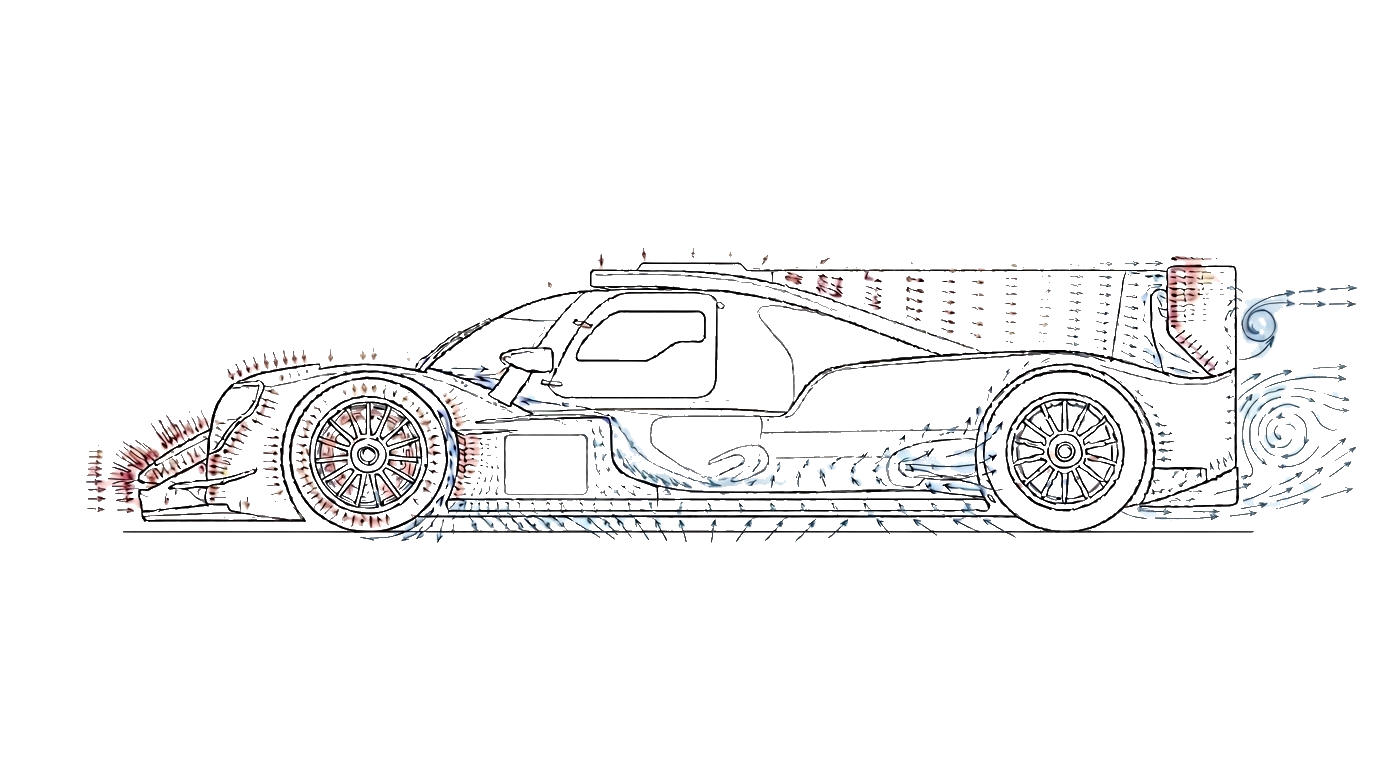
Center of pressure: the wind-tunnel number, computed.

The sim never gives you downforce — so we deduce it from ride-height drop and stiffness, and show the CoP migrating with speed: that reveals whether an imbalance is aerodynamic or mechanical.

  • Market-first: as of 2026, no other plugin for iRacing, Le Mans Ultimate, RaceRoom, Automobilista 2 or rFactor 2 computes the center of pressure.

How the CoP is computed →

How we read your car — the full method →

How to build a sim-racing setup — step by step →

The gap on the clock

Typical lap-time gained after applying the AI engineers' setup.

Le Mans Ultimate LMGT3 · Monza −1.3s iRacing GT3 · Spa −1.6s Assetto Corsa Competizione GT3 · Nürburgring −1.1s 0 faster / lap

Illustrative — real gains depend on car, track and driver.

Interactive — click a corner, then apply the AI setup
T1 T5 T8
Lap time
2:18.412
before AI setup
T1 — Chicane
Open the real pit wall →
One credit. One faster lap.

The loop is simple — and measurable.

1

Upload your telemetry

Any sim, any MoTeC file. We read everything: tyres, brakes, suspension, lines — 100+ channels.

2

Engineers rebuild your setup

Seven specialized AI engineers analyze your laps corner by corner and return concrete setup changes.

3

Run again — measure the gain

Re-upload your next stint. We show the delta, corner by corner. That's your lap time, earned back.

Don't buy a guru's setup.
Build your own speed.

A pro's setup fits the pro. Our engineers read how YOU brake, turn and accelerate — then adapt the car to your driving, lap after lap. Speed isn't copied. It's built.

Specialized engineers. Not a chatbot.

Click an engineer — see exactly what they see in YOUR data.

🛞

Marco

Chassis & balance

🌡️

Ted

Tyres & pressures

📈

James

Data & suspension

🧠

Sophie

Race strategy

Paul

Energy & fuel

⏱️

Alex

Driver performance

🎧

Adrian

Chief engineer

📡

Live pit wall

They talk to you while you drive

Practice mode

Your best braking points — learned, then flashed on your wheel.

Every braking is measured in free practice: distance, pressure, trail, corner speed. The pit wall keeps your best reference for every corner — and replays it through your wheel's LEDs via native SimHub properties. The lights fire at your optimal brake point. Not a pro's. Yours, improved.

★ Brake Thermal Window — braking distance vs brake temp →
T1 — brake in 52m · your best: 228m @ 96%
Built for sim racing. Ready for the real paddock.
Sim racing

Every sim. One pit wall.

  • Le Mans Ultimate, iRacing, rFactor2 & more
  • Setup recommendations within your car's real limits
  • Endurance: multi-driver, remote PCs, live strategy
Real motorsport

Your MoTeC files. Decoded.

  • Read your team's MoTeC logs — karting to GT
  • Benchmark against competitor data you acquire
  • Engineering reports your drivers actually understand
Start free. Pay for speed.

1 credit = one telemetry read + a rebuilt setup by the engineers.

Free
0€
2 credits / day
  • Full 2nd-screen pit wall — free, no subscription needed
  • Fixed setups + corner analysis
  • All file formats (any sim, MoTeC)
Start free
ProPopular
100 credits / month
  • Full setup engineering
  • Session history & before/after deltas
  • Unlimited engineer questions
Your sim:
Go Pro
Pro+ IRL
Custom
+200 credits / month
  • Pro MoTeC files (real cars)
  • Competitor data analysis
  • Track-day engineering reports
Request pricing
Team
Custom
Sim teams & race teams
  • Multi-driver endurance & live strategy
  • Remote PCs connected to one pit wall
  • IRL multi-site, private data
Request pricing